
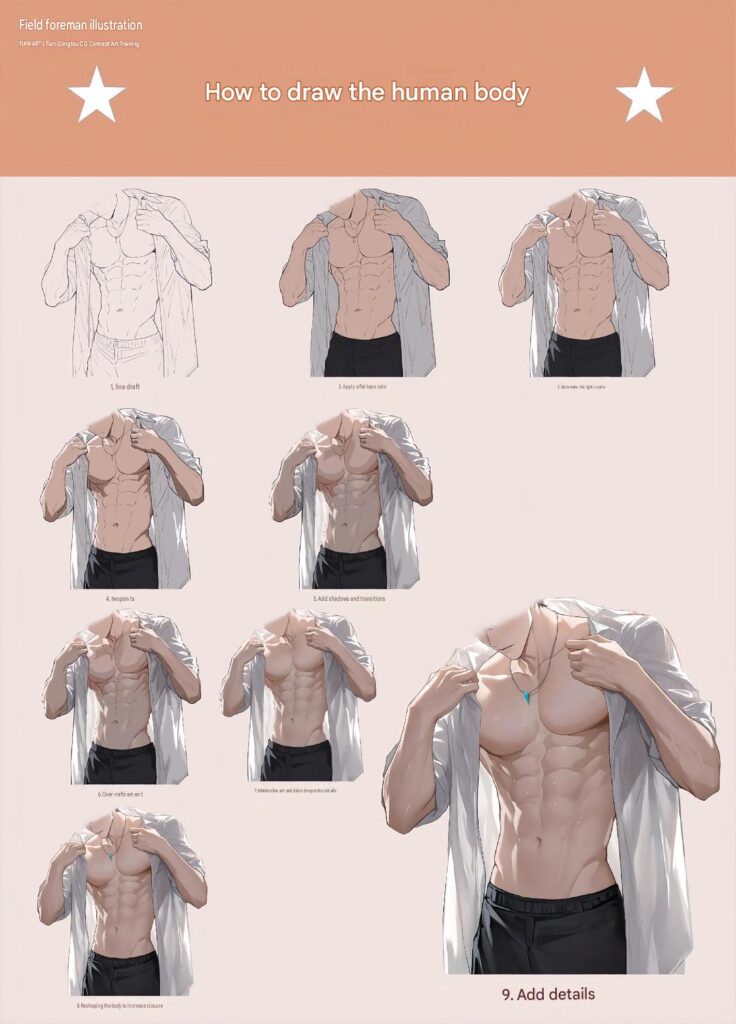
Learning how to draw the human body is one of the most important skills for artists who want to improve their figure drawing and character illustration abilities. Understanding body proportions, muscle anatomy, clothing folds, and lighting can make your artwork look more natural and realistic.
In this step-by-step tutorial, you will learn how to draw a muscular male upper body wearing an open shirt. Starting with a simple line sketch, you will gradually add base colors, shadows, highlights, and anatomical details to create a polished digital illustration.
How to Draw the Human Body – 9 Easy Steps for Beginners
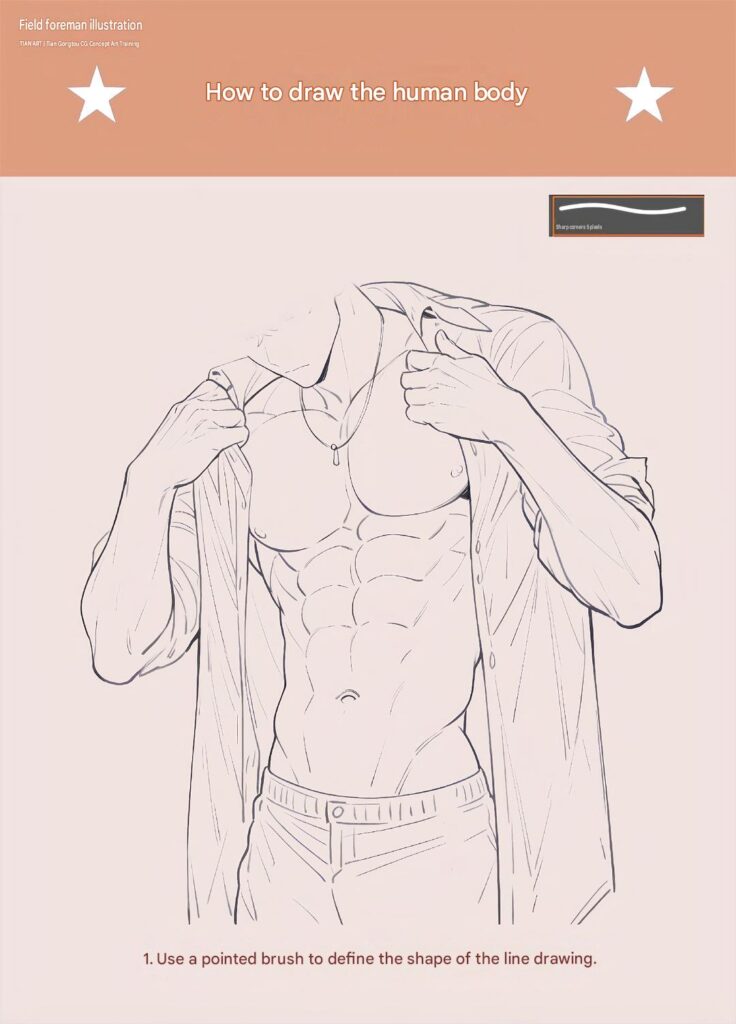
Step 1: Create the Initial Line Draft
Begin by sketching the basic human body structure.
Draw the neck, shoulders, chest, arms, waist, and upper legs using simple shapes and guidelines. Establish the overall proportions before adding individual muscle groups.
Next, sketch the open shirt around the body. Pay attention to the collar, sleeves, and fabric hanging naturally from the shoulders.
Keep your construction lines light and focus on creating a balanced pose.
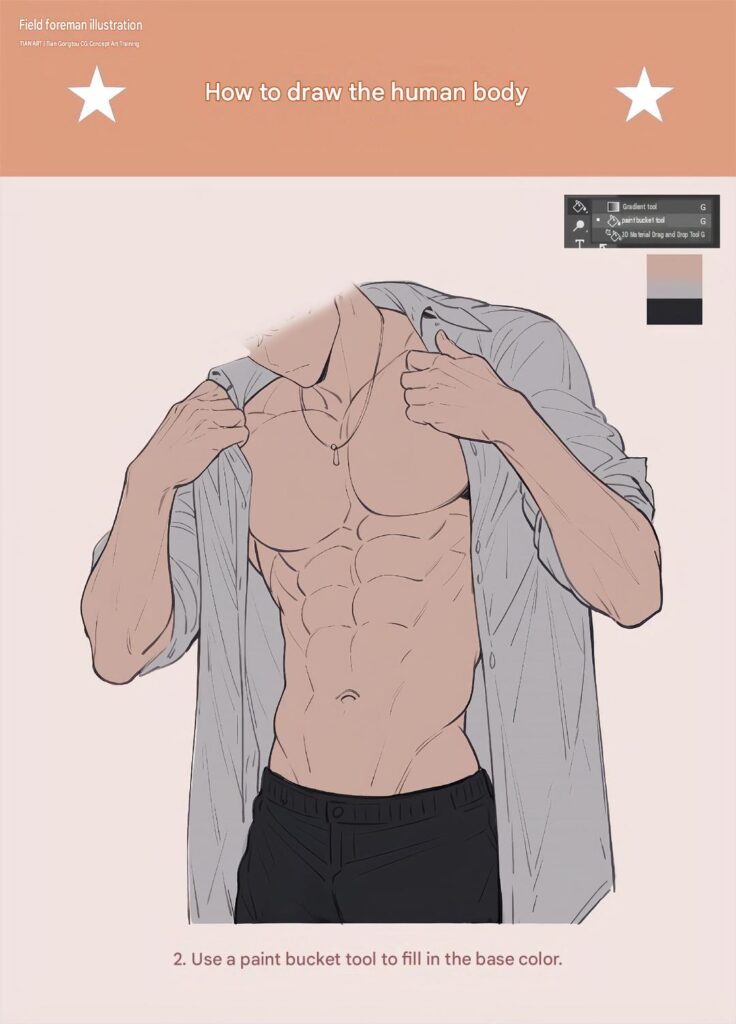
Step 2: Apply the Flat Base Colors
Once the sketch is ready, begin adding the main colors.
Use a warm peach or light tan shade for the exposed skin. Apply gray or light blue-gray tones to the open shirt and black or dark charcoal for the trousers.
Keep the colors simple and consistent. Avoid adding complex shadows or highlights at this stage.
The goal is to establish clean color areas that will serve as the foundation for the illustration.
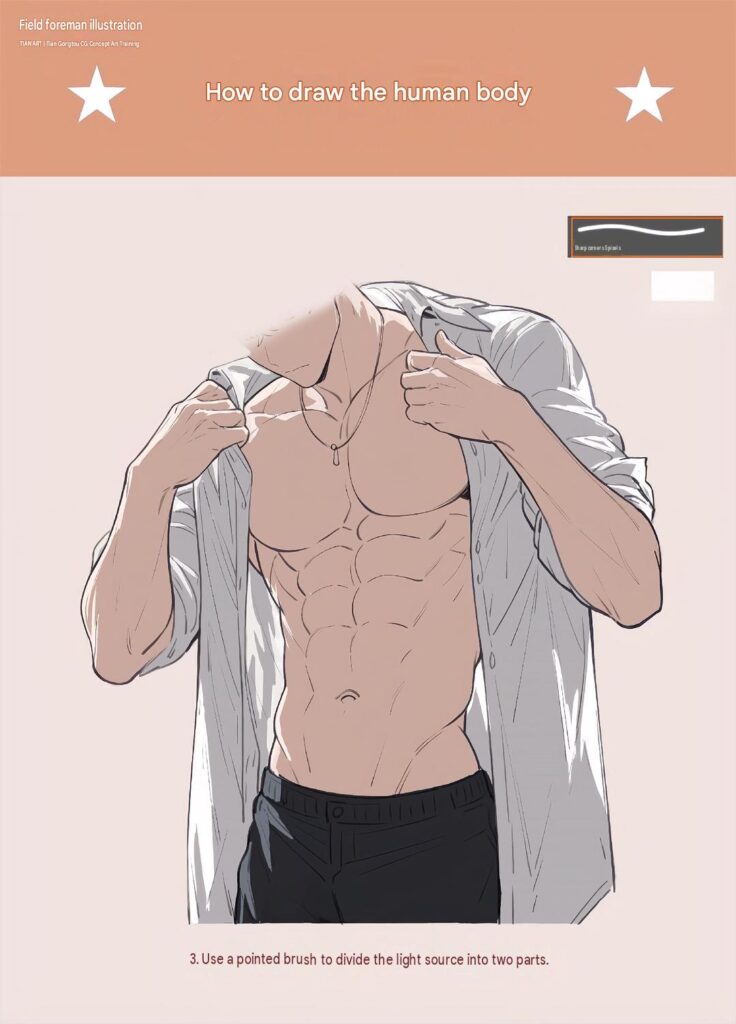
Step 3: Determine the Light Source
Before adding detailed shading, decide where the main light is coming from.
In this illustration, the upper body receives light from the front and upper side, creating brighter areas across the chest, shoulders, and arms.
Identify the areas that will receive highlights and the areas that should remain darker.
Also consider how the open shirt folds and overlaps around the torso, as these areas will naturally create shadows.
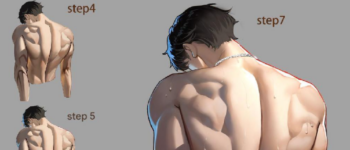
Step 4: Establish the Main Shadow Shapes
Start defining the body with darker skin tones.
Add shadows beneath the pectoral muscles, around the abdominal sections, and along the sides of the waist.
Create darker areas beneath the arms and around the shoulder joints to give the upper body more depth.
For the shirt, use gray shadows along the inner edges, sleeve folds, and overlapping fabric sections.
Focus on large shadow shapes before working on smaller details.
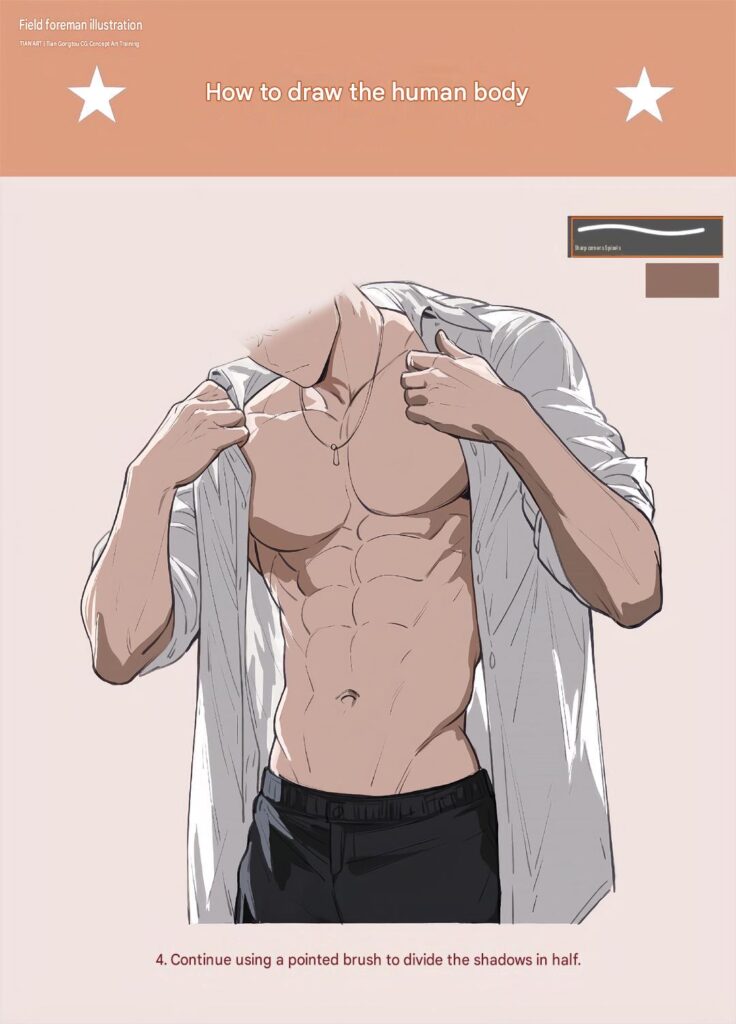
Step 5: Add Shadows and Smooth Transitions
Gradually blend the darker areas into the base skin tones.
Refine the pectoral muscles, abdominal muscles, shoulders, and arms using soft transitions between light and shadow.
Use warm midtones to connect the muscle groups and avoid overly sharp outlines.
For the shirt, combine different gray tones to emphasize the natural folds and thickness of the fabric.
This step helps the entire illustration look more three-dimensional.
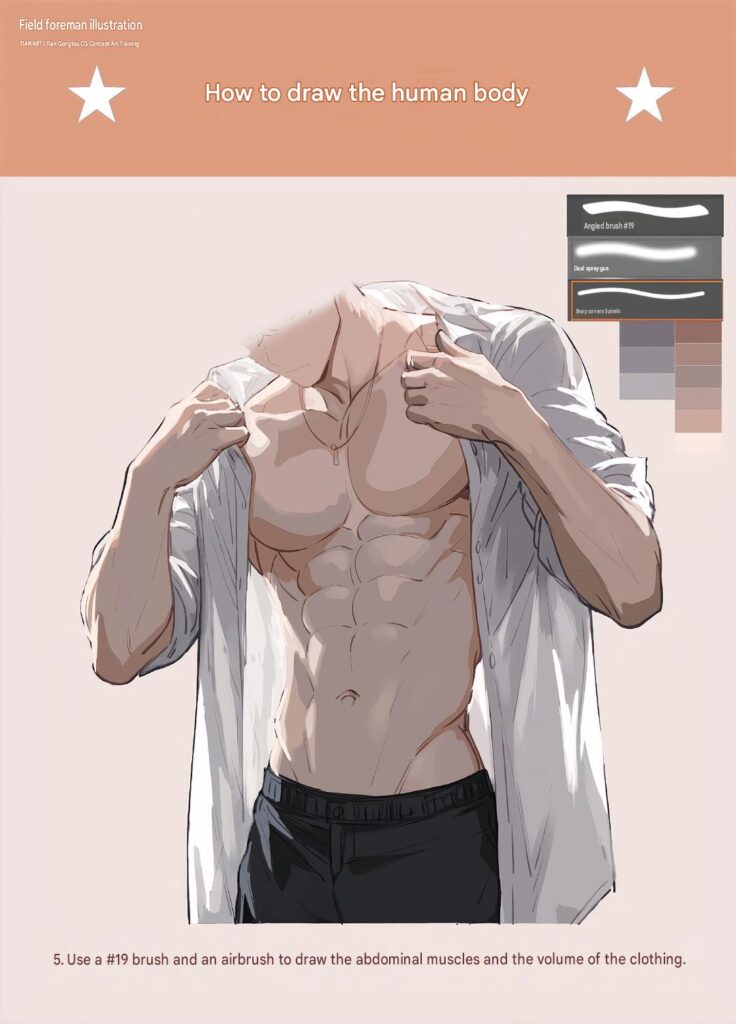
Step 6: Refine the Overall Illustration
Begin improving the anatomy and clothing structure.
Adjust the proportions of the chest, waist, shoulders, and arms. Refine the abdominal muscles so that they follow the natural shape of the torso.
Add more depth to the open shirt by strengthening the shadows around the collar, sleeves, and hanging fabric.
Clean up unnecessary sketch lines and smooth the edges of the main shapes.
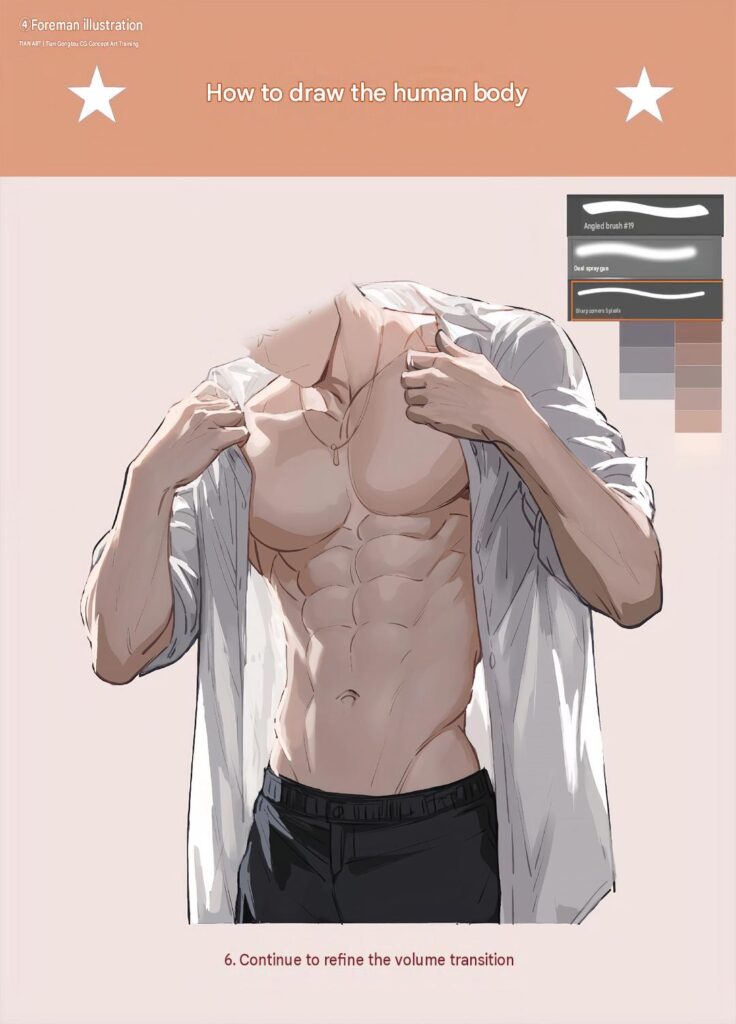
Step 7: Improve the Lighting and Anatomical Details
Now focus on the smaller anatomical details.
Add subtle highlights to the raised surfaces of the chest, shoulders, and abdominal muscles. Deepen selected shadows to emphasize muscle definition.
Refine the clothing folds using thin highlights and darker gray accents.
Pay attention to the contrast between the skin and the shirt to make the figure stand out clearly.
Keep the lighting consistent across the entire body.
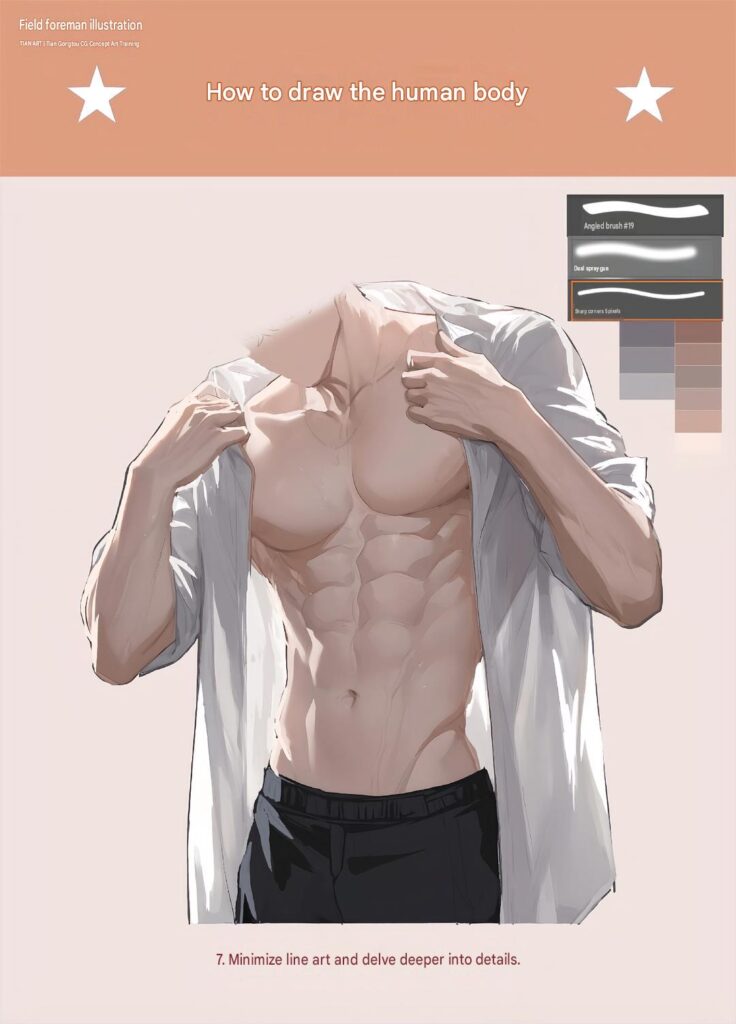
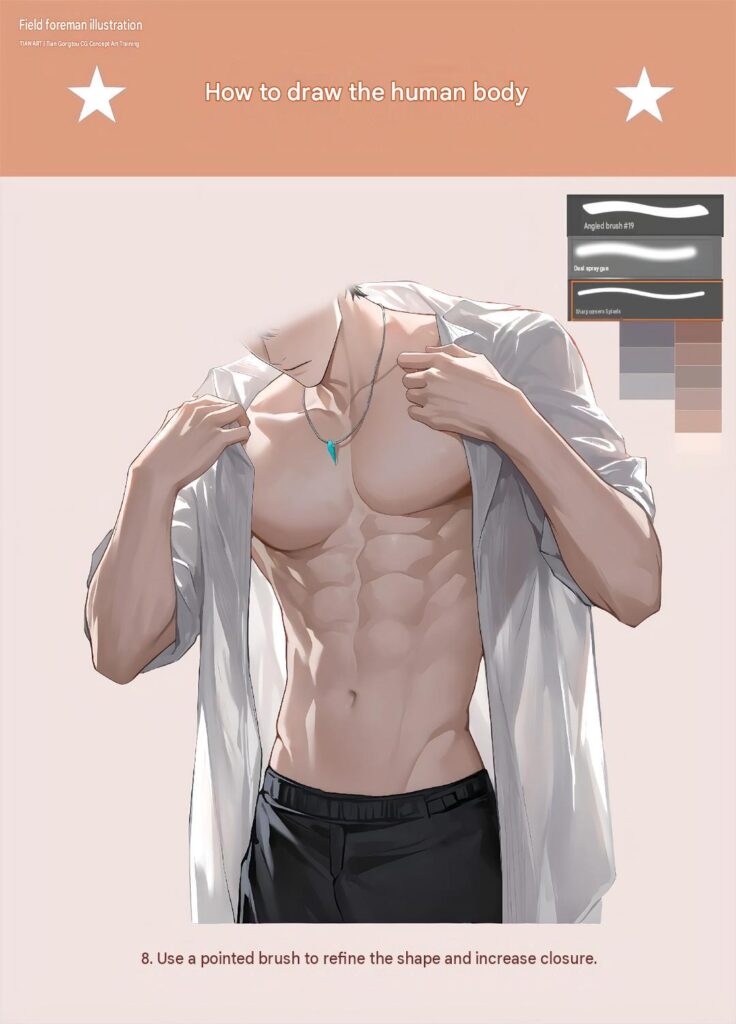
Step 8: Adjust the Body Shape and Increase Color Depth
Continue refining the body to improve its overall appearance.
Strengthen the transitions between the chest, abdomen, and waist. Adjust the highlights and shadows to create a more natural muscular structure.
Improve the color depth by introducing subtle warm and cool tones into the skin.
For the shirt, add additional highlights along the fabric edges to create a soft, slightly reflective appearance.
Make small adjustments until the body proportions and overall composition look balanced.
Step 9: Add the Final Details
In the final stage, polish the entire illustration.
Add small details such as the necklace, collar edges, shirt seams, trouser waistband, and subtle skin highlights.
Refine the abdominal muscles and chest definition without making the anatomy look overly exaggerated.
Clean up the remaining sketch lines and adjust the contrast between the bright and dark areas.
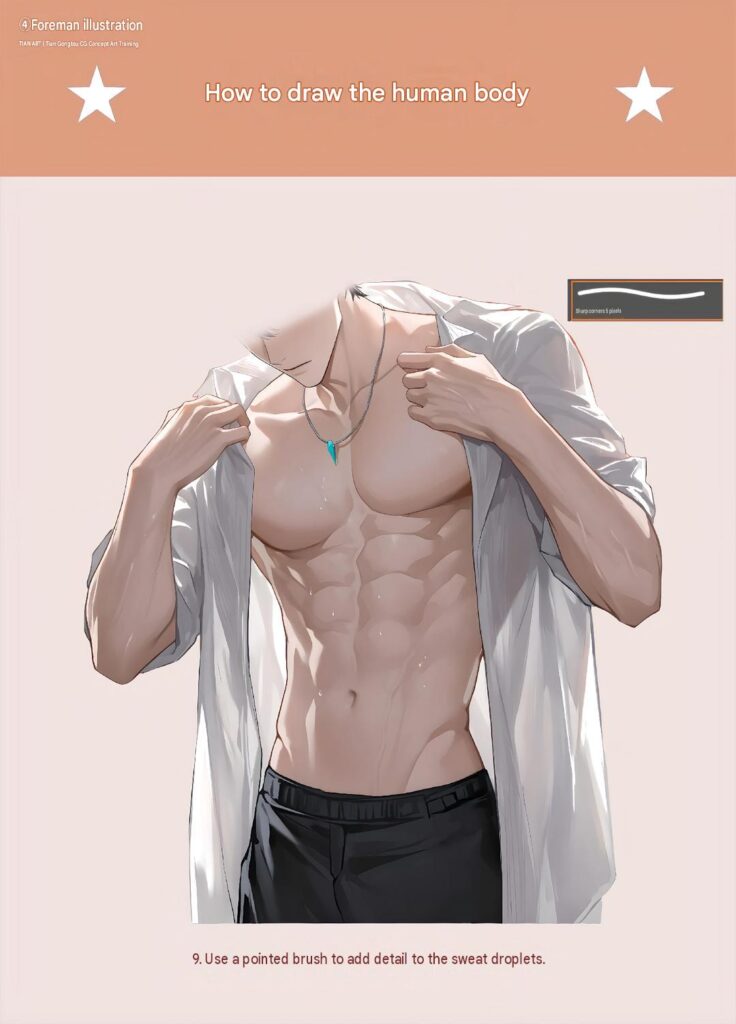
Your human body illustration is now complete!


Leave a Reply